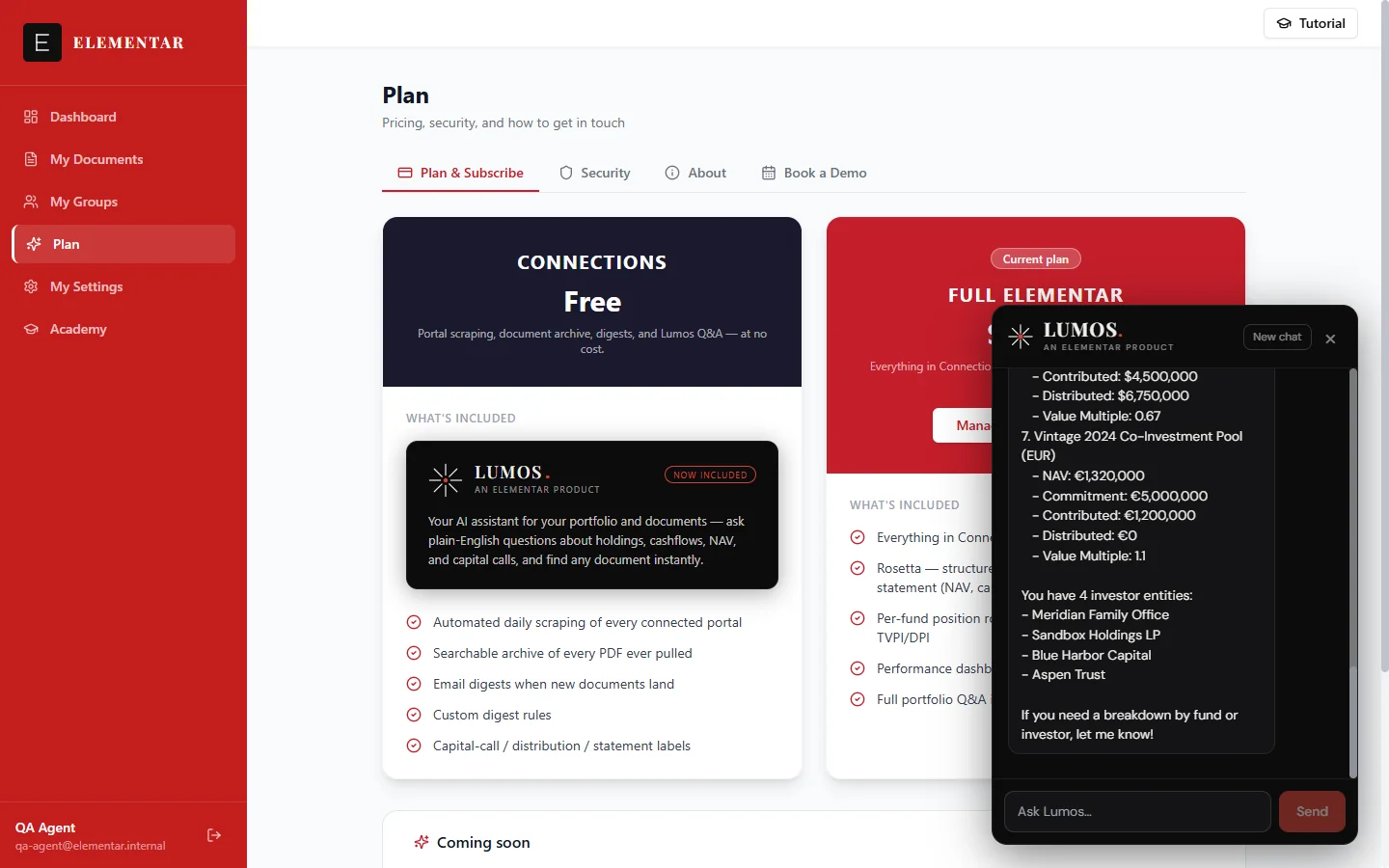
Lumos lives in a chat panel available from anywhere in your workspace — open it with a click and ask a question the way you'd ask a colleague. It answers only from your own account's data, never another client's, and it tells you plainly when it doesn't know something rather than guessing.
Ask in plain English
You don't need to know where something lives in the app, or which fund or filter to click through — just ask Lumos directly. It's available from a chat panel on any page in your workspace.
Lumos is strongest today at helping you find and understand your own documents. Try questions like:
- "What's my latest capital call?"
- "Show me Growth Fund V's documents"
- "How many documents do I still need to review?"
On Full Elementar, Lumos is also rolling out full portfolio Q&A — holdings, cashflows, NAV, and performance stated directly as figures. See Full portfolio Q&A below for what that looks like once it's available on your account.
Finding a document instantly
Ask Lumos to find something and it searches your own documents and returns the closest matches, ordered most-recent-first — so when you ask for the "latest" or "most recent" of something, the first result Lumos gives you is it.
You can ask generally — "find my Q2 statement", "where is my drawdown notice?" — or scope the question to one fund or investor: "documents for Growth Fund V", "what's new with [fund]?", "latest from [investor]". Search matches against the filename, member name, fund name, and portal — so naming the fund or investor narrows results.
When you ask to see, open, or find a document, Lumos surfaces it directly as a link you can click — no need to leave the chat to go looking for it yourself.
How many documents do I have, reviewed vs not
Ask Lumos how many documents exist in your account in total, and how many are still unreviewed versus already reviewed. You can scope the question to a single fund or investor — "how many documents for [fund]", "how many are still unreviewed for [investor]" — and Lumos reports the exact counts back to you rather than estimating.
Full portfolio Q&A Full Elementar
Full portfolio Q&A is rolling out to Full Elementar accounts: the ability to ask Lumos directly about your holdings, cashflows, NAV, capital calls, distributions, gains, and performance — not just find the document that mentions them.
Once it's available on your account, Lumos answers with the actual figures — amounts with currency, dates, fund and investor names — computed from your own portfolio data, never estimated. Ask "which fund is performing best?" and Lumos answers using your own portfolio figures. Figures are reported with their currency, exactly as recorded in your account.
If your account isn't yet on Full Elementar, upgrading unlocks Rosetta — Elementar's structured data extraction — alongside full-mode Lumos. You can upgrade from Settings → Billing.
Sources are opt-in
Lumos leads with the answer, not a wall of citations. When you ask a numeric or factual question, it states the answer first and keeps the reply focused and readable.
It only pulls up the supporting documents when you ask for them — say "show me the source", "which document is that from", or "can I see it" — and Lumos surfaces the exact statement or notice behind the answer as a clickable link.
What Lumos will never do
Lumos only ever answers from your own account's data. If you ask about another client's information, or ask it to act as something else, it declines in a single sentence rather than improvising.
It also never fabricates. Every fund name, investor name, and figure Lumos states comes directly from your own account's records — it does not guess, estimate, or fill in a plausible-sounding answer to keep the conversation moving. If the information genuinely isn't available, Lumos says so plainly instead of inventing a number or a name.
Lumos also can't take any action on your accounts. Elementar's connections to your fund-administration portals are read-only — data is retrieved, but nothing is ever transferred or moved — so there's nothing for Lumos, or anyone else, to authorize through chat.
When you need a human
If Lumos can't resolve something — a bug, a document that won't load, data that looks off — it doesn't jump straight to opening a ticket. It first asks a couple of specific questions to understand exactly what's wrong, and tries the obvious fixes with you, like reloading the page or checking you're on the right fund or filter.
If that doesn't resolve it, or you ask directly for a human, Lumos opens a support ticket for you — gathering the details of the issue into it first, so the team has a complete picture from the start. You don't need to leave the chat or fill out a separate form.